
BingBong Mobile Casino – Play on iOS and Android (no APK)
Introduction
If you love spinning slots on the go, our mobile BingBong experience is exactly what you need. You get the same games, bonuses, and payments that you see on desktop, just packed into a smooth mobile browser version with no extra hassle.
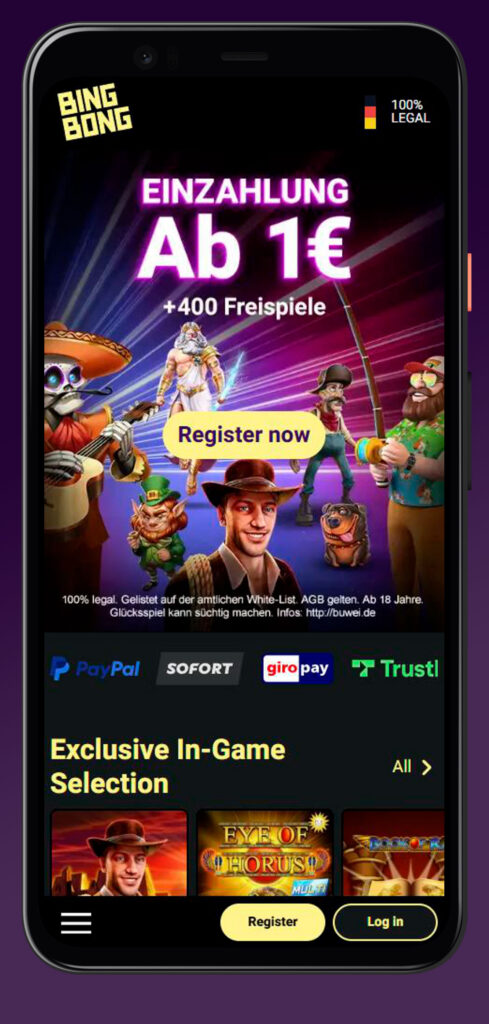
Now, instead of fighting with clunky downloads, you just open your browser, log in, and start playing in seconds, whether you are on iOS or Android.
Is There a BingBong Mobile App?
You have probably searched for a BingBong casino app in the store and found nothing, right? That is not a bug; that is exactly how we planned it: BingBong works as a web app in your browser, so you skip all the annoying install steps.
So yes, you can absolutely play with what many people would call the Bing Bong casino app, but it lives in Safari, Chrome, or any modern mobile browser instead of your phone’s storage.
No native app download
You do not need to download any Bing Bong casino app to get full access to our slots, promos, and payments. On Android, you just open Chrome or your favorite browser, type in BingBong, log in, and you are good to go, without any BingBong Casino APK or side‑loading drama.
On iPhone or iPad, you play through Safari or any other browser, so there is no separate BingBong casino iOS install, no updates, and no storage eaten by an app.
Why “no app” can be convenient
Honestly, this setup makes life easier for you in a few ways. You do not have to worry about device compatibility, free space, or hunting for a safe BingBong application file, because everything runs as an instant-play mobile site.
You also always see the latest version of our games and promos automatically, since the “BingBong casino app” in your browser updates itself every time you refresh the page.
Mobile Site Navigation
You still get the full lobby, categories, and filters on mobile, just laid out for thumbs instead of a mouse. From the main menu, you can jump straight to slots, promotions, payments, or support in a couple of taps.
If you want, you can even add our page to your home screen so it behaves even more like a classic Bing Bong casino app.
Finding slots and opening a game session
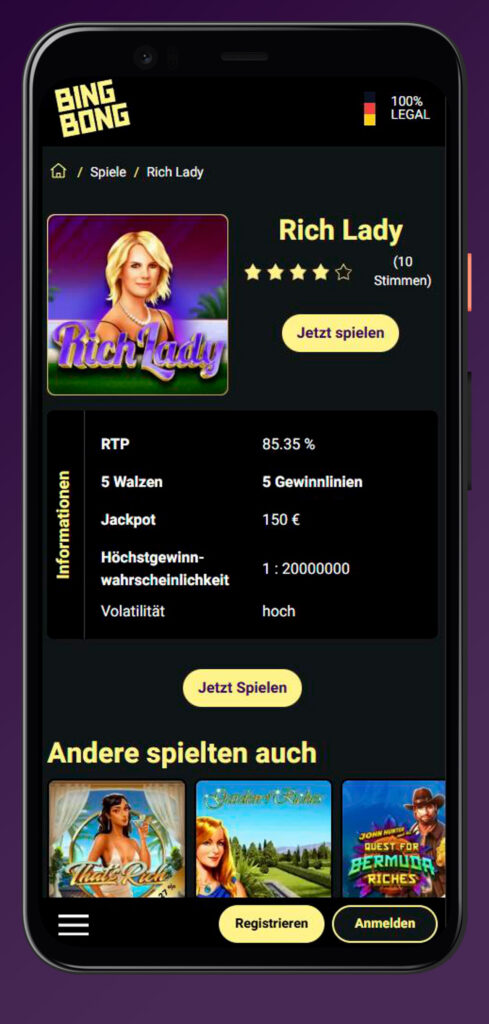
Once you land on the games page, you will see all the categories you know from desktop, including popular, new, exclusive, and by provider like Merkur, Novomatic, Gamomat, and more. You tap a game tile, the slot opens in full-screen instant play, and you adjust your bet size with simple touch controls.
Some examples of mobile-ready hits you can fire up in seconds:
- Eye of Horus (Merkur)
- Book of Ra Deluxe (Novomatic)
- Ramses Book (Gamomat)
- Gates of Olympus (Pragmatic Play)
You do not need any BingBong Casino APK for these; the HTML5 versions are built to run smoothly in your browser on both iOS and Android devices.
Finding promos on mobile
Now, when you are chasing bonuses, you just head to the Promotions or Bonus section from the mobile menu. There you will find the welcome offer (up to 100 € bonus plus free spins), weekly free spin deals, Drops & Wins, and other ongoing promos that you can activate directly on your phone.
Each promotion card shows you the key info at a glance: minimum deposit, bonus amount, number of free spins, and basic wagering rules.
| Mobile promo area | What you see there |
| Welcome bonus | Bonus amount, free spins, min deposit |
| Weekly promos | Free spin days, reloads, special events |
| VIP / Premium | Extra RTP slots, exclusive bonus offers |
You can claim everything from your mobile just like on a desktop, no difference.
Mobile Registration & Login
Let us dig into the important part: getting your account set up right from your phone. You do not need to wait until you are at home on a laptop; the whole thing runs in the browser.
Register on mobile in the browser
To sign up on mobile, you tap the “Register” button on our mobile site, then a short form pops up. You enter your email, password, mobile number, and required personal details, confirm everything, and your account is created within a few minutes.
You can already activate your welcome package from there and jump into the lobby, just like with any BingBong application someone might expect from an app store.
Step-by-step mobile registration
- Open your mobile browser (Safari, Chrome, etc.) and go to BingBong.
- Tap “Register” on the top or bottom bar.
- Fill in your email, password, and mobile number, then continue.
- Add your personal details and confirm the required checkboxes.
- Submit the form, and you are ready to play with our welcome bonus in your pocket.
Sign in on mobile the same way as desktop
Logging in on mobile works exactly like on desktop: you tap “Login”, enter your email and password, and you are back in your account. If you forget your password, you hit “Forgot password”, follow the email link, and set a new one directly on your phone.
You are basically using a lightweight Bing Bong casino app every time you open the browser, with the same credentials and the same balance everywhere.
Mobile Slots & Demo Mode
Now for the fun part: the games themselves. On mobile, you get access to the full BingBong slot portfolio, usually 700+ titles from Merkur, Novomatic, Gamomat, Pragmatic Play, Play’n GO, and more, all playable in your browser.
Many of these games support a demo mode, which is perfect if you want to test mechanics or volatility before risking real cash.
Demo mode uses virtual balance
In demo mode, you play with play-money credits, not with your real balance. Your demo credit lets you spin exactly like in real-money mode, with the same features, symbols, and RTP, but any “wins” stay inside the demo and cannot be withdrawn.
If you refresh or leave the game, the virtual balance may reset, so it is great for testing, not for building a bankroll.
Why try the demo on mobile
- Learn new slots without risking real money.
- Test bonus rounds, volatility, and bet sizes comfortably.
- Switch from demo to real-money mode the moment you feel ready.
Bottom line, demo is built exactly for you to experiment on the go before committing your actual bankroll.
Mobile Payments & Withdrawals
Another standout on our mobile setup is how easy it is to handle payments on your phone. You get the same popular methods as on desktop: PayPal, Apple Pay, Klarna Sofort, Trustly, Visa, Mastercard, bank transfer, and more.
All deposits are free of extra fees on our side, and your money usually lands in seconds, so you can start spinning right away.

Withdrawal method
When it is time to cash out, you can choose between PayPal and bank transfer, depending on what suits you best. Both options are available directly in the mobile cashier and are processed under the same rules as on desktop.
With PayPal, you typically see your money within about 24 hours, while classic bank transfers can take up to three business days because of the banks involved.
| Method | On mobile? | Typical speed | Extra fees |
| PayPal | Yes | Usually within 24 h | No |
| Bank transfer | Yes | Up to 3 business days | No |
All your payment data is protected by SSL/TLS encryption, so you can tap your way through deposits and withdrawals without stressing about security.
Requesting withdrawals via cashier
To request a withdrawal on mobile, you open the cashier section in your account, switch to “Withdraw”, and enter the amount you want to cash out. Then you pick your payout method (for example, PayPal), confirm the details, and submit the request.
Our team processes payouts as fast as possible, and you can track the status of your transactions from your transactions section on your phone.

FAQ
No, there is no separate native BingBong casino app in the stores; you play via our mobile browser site, which works like a web app on iOS and Android.
You do not need to download any Bing Bong casino app; just open our website in your mobile browser and log in.
Yes, our mobile site supports basically all modern smartphones and tablets on iOS and Android; you just need a stable internet connection and an up‑to‑date browser.
You can activate all standard bonuses, free spins, and promotions from your phone exactly like on desktop.
Yes, we use modern SSL/TLS encryption and licensed, tested games; mobile payments go through the same secure systems as desktop transactions.